01Management
ERP documents
Customers, quotations, orders, delivery notes, invoices, due installments, attachments and document relationships in a web interface connected to source data.
The web platform connecting office, customers and logistics to the ERP.
OptyWeb brings the information and processes around the ERP to the web: customers, documents, portal orders, routes, fleet, deliveries, incidents and notifications. Each role works with its own view while data remains synchronized inside the same company.
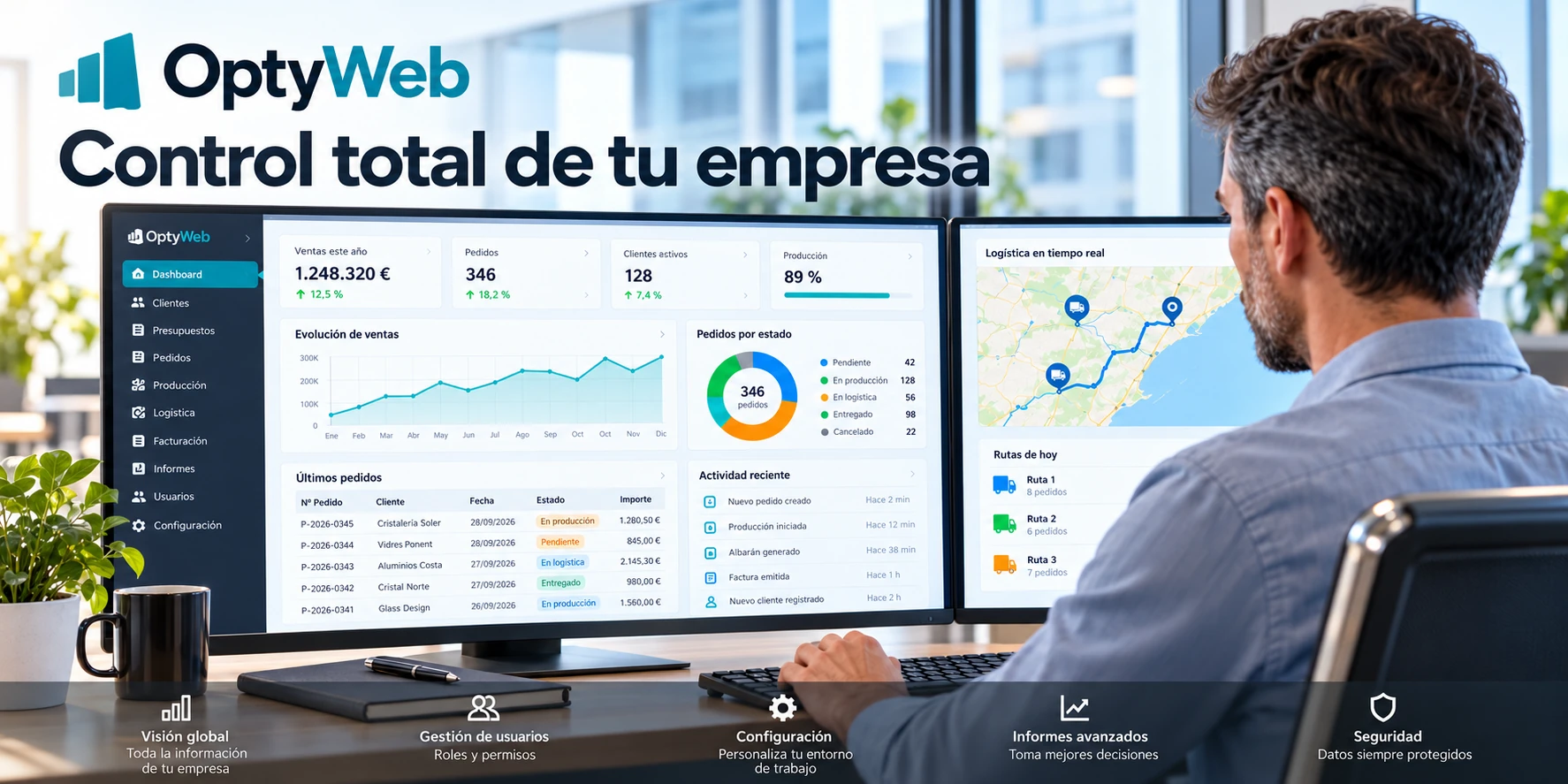
When customers, office staff, sales teams and delivery operations rely on email, calls, spreadsheets and separate apps, information is duplicated and the real status of each order gets lost. OptyWeb provides a shared web layer to view, operate and share ERP-connected data.
A new digital layer for your company
OptyWeb turns data already held in the ERP into an operational platform available in the browser. Office staff, sales teams, customers and delivery operations work on the same information, with modules and permissions adapted to each role.
Customers, quotations, orders, delivery notes, invoices, due installments, attachments and document relationships in a web interface connected to source data.
Order creation with products, materials, operations, dimensions, compositions, attachments, configurable numbering, printing and export.
Routes, zones, vehicles, geocoding, optimization, manual ordering, live fleet, signal, progress and ETA to coordinate every delivery.
Execution leaves the office: tracking, stops, signatures, photos, incidents, racks, barcodes and driver expenses flow back into OptyWeb.
In-app and email alerts, history and retries, plus optional AI Orders and AI Quotes modules that prepare inbound requests before review.
Role- and module-based permissions, multi-tenant isolation and server-side authorization ensure each company and user sees only the data they are allowed to access.
Availability of modules such as logistics, notifications, AI Orders or AI Quotes depends on each company's configuration.
Product views
Ten views cover everyday work in OptyWeb: management, customers, orders, AI, logistics, fleet and alerts. The data shown is representative commercial sample data and does not belong to real customers.
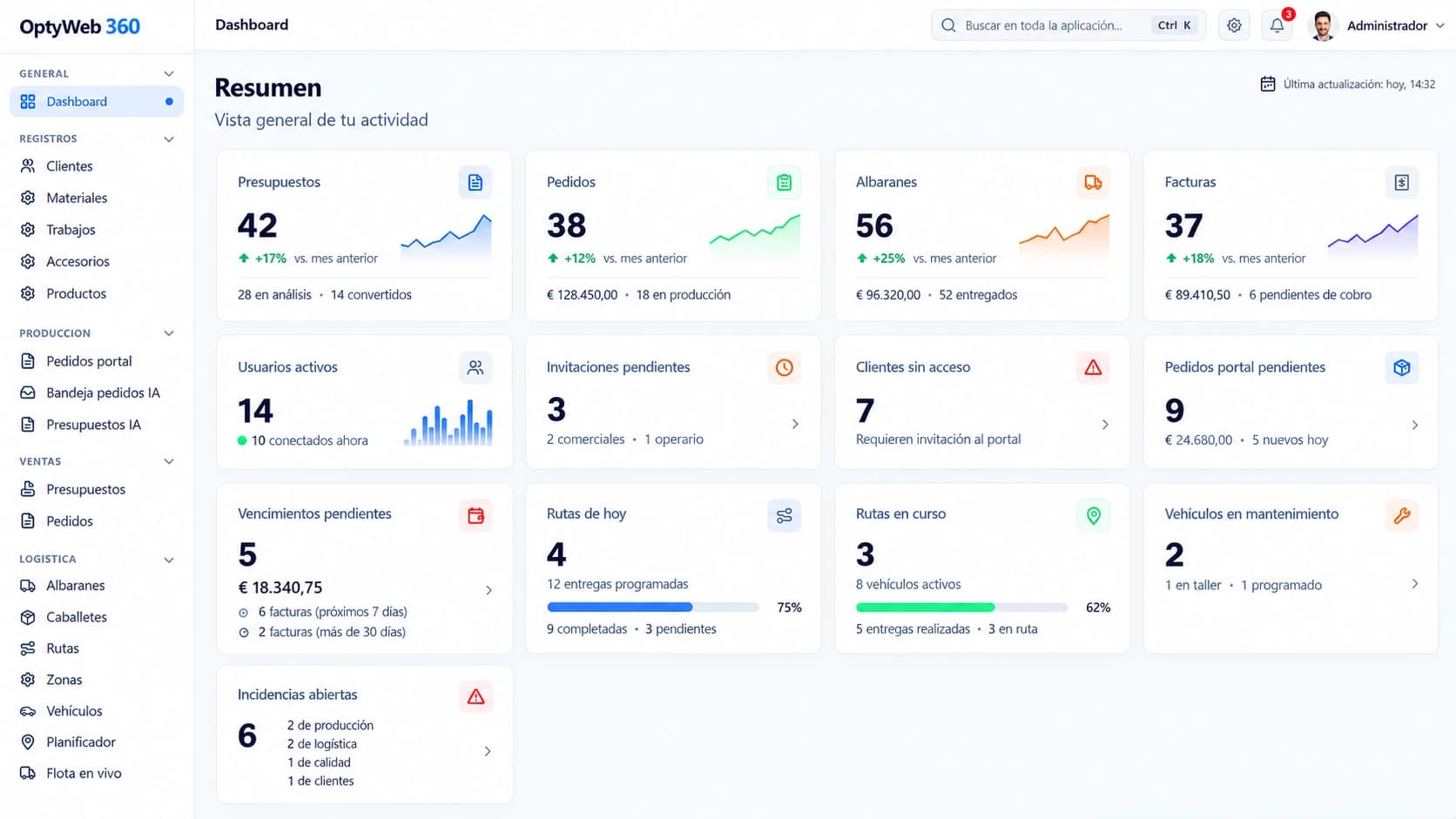
Executive overview of sales activity, production, collections, routes, maintenance and incidents on one screen.
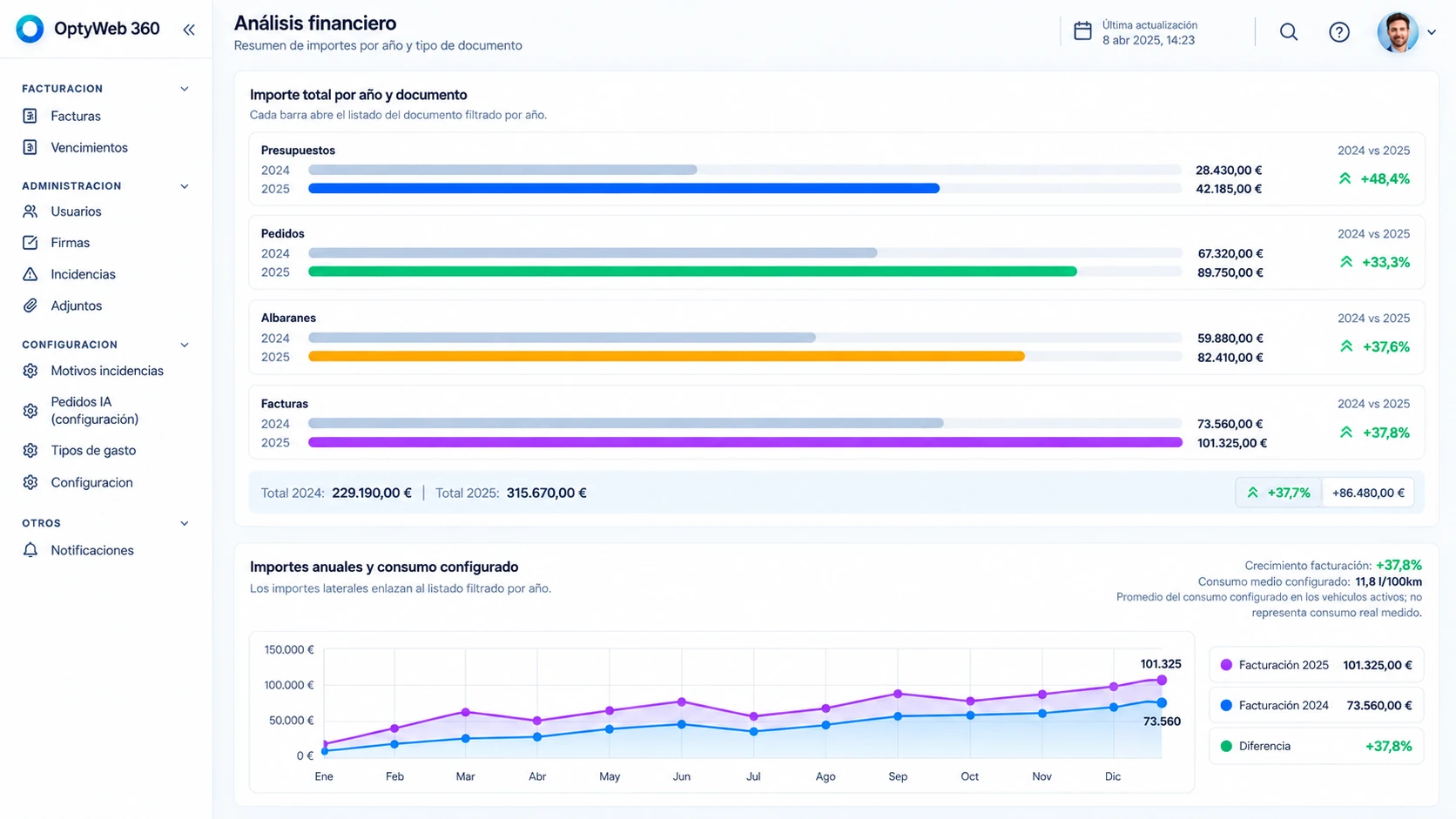
Year-on-year comparison of quotes, orders, delivery notes and invoicing, with trends and configured consumption metrics.
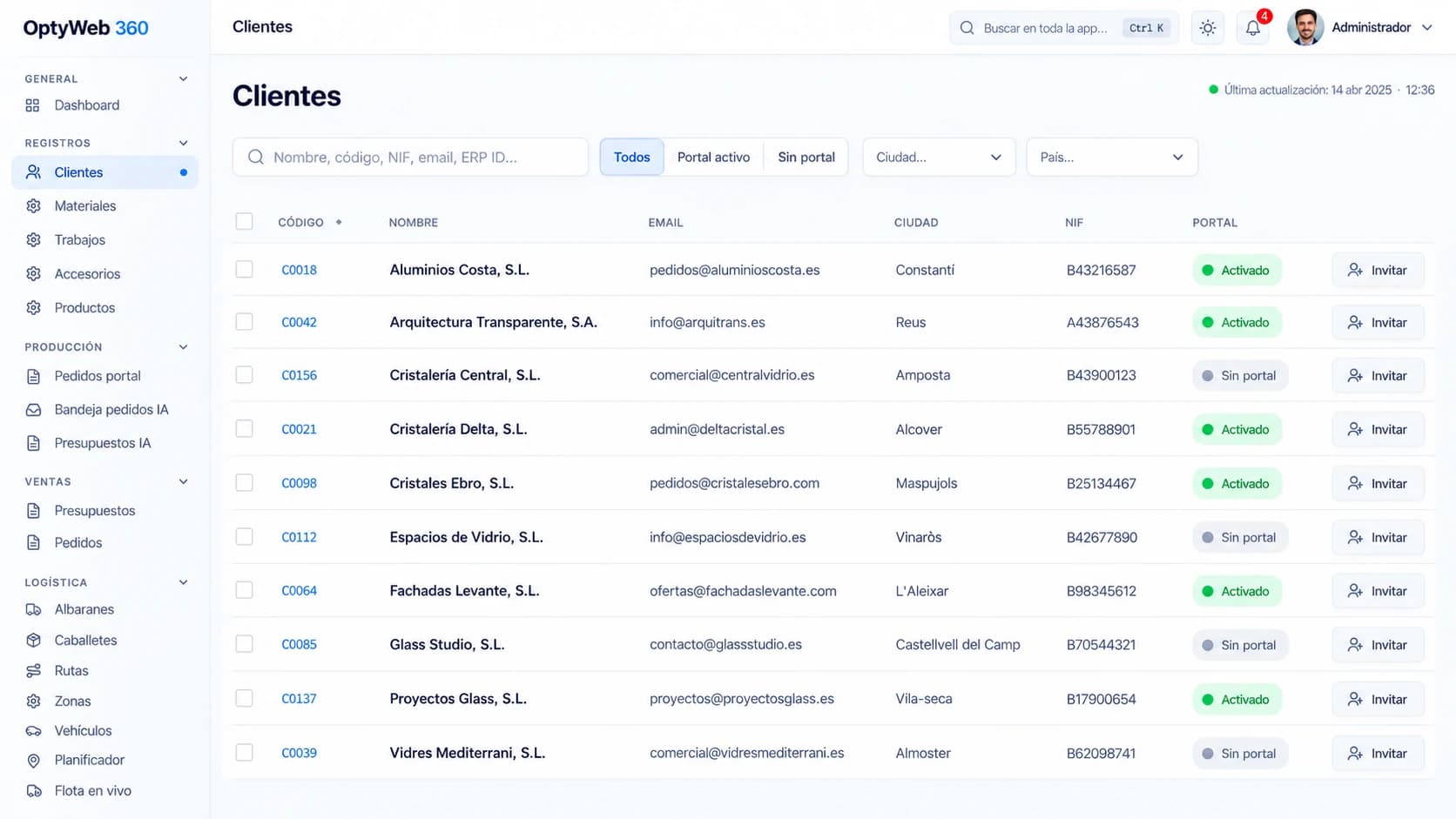
Centralized customer management with identifiers, contacts, location and portal-access status.
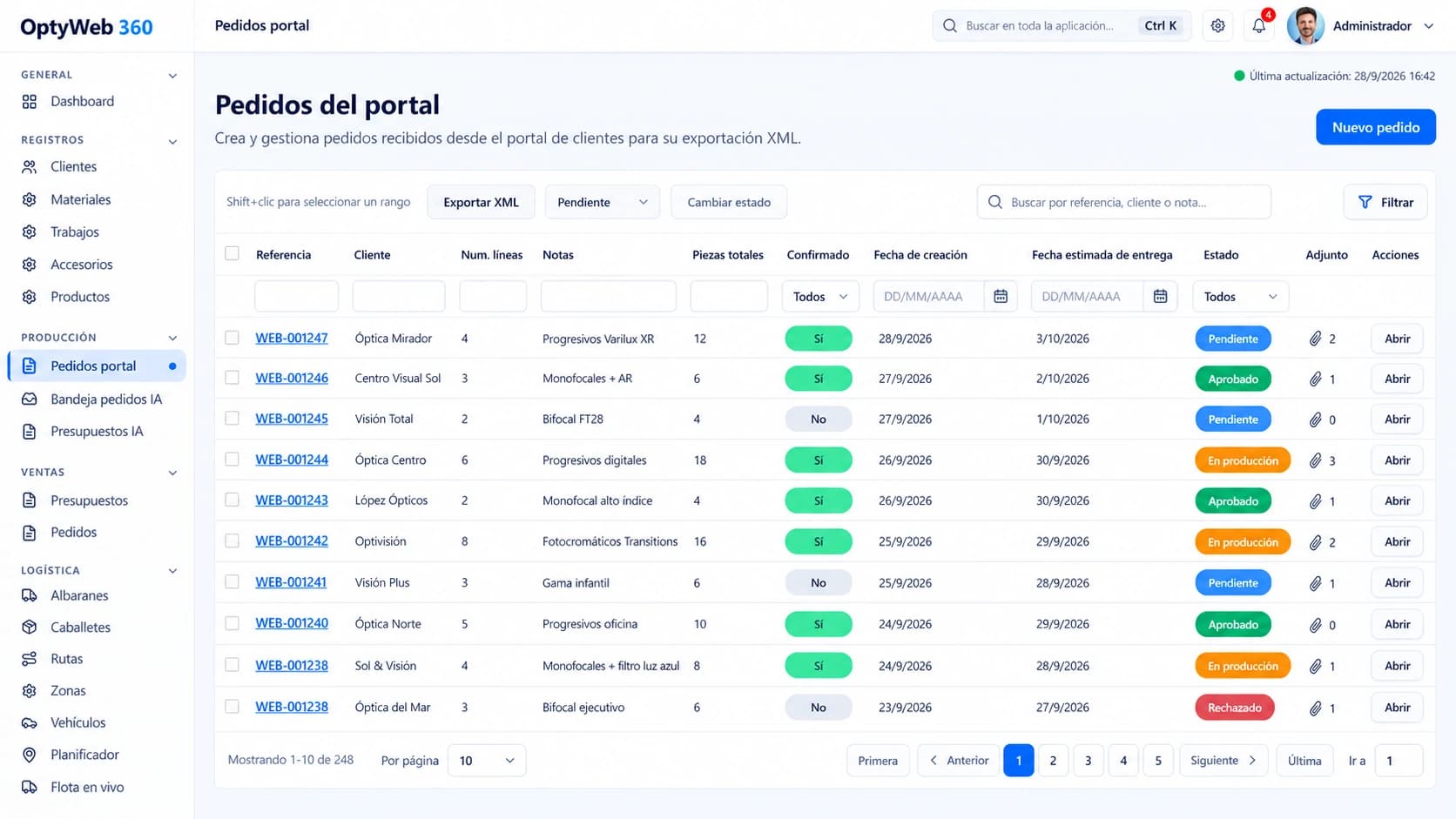
Reception and management of orders created through the portal, including lines, pieces, dates, attachments and workflow states.
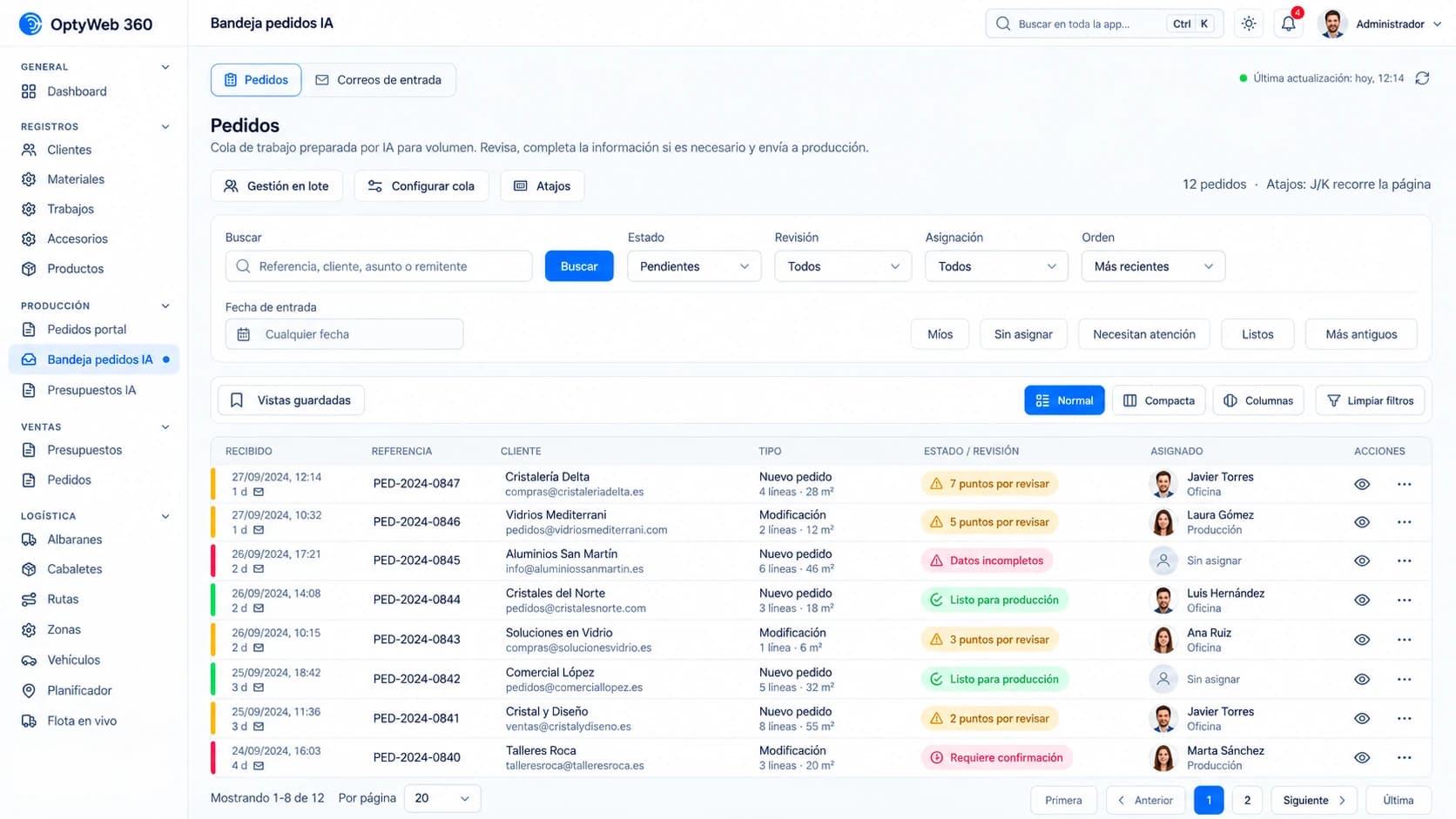
AI-assisted work queue to classify requests, surface review points and assign owners.
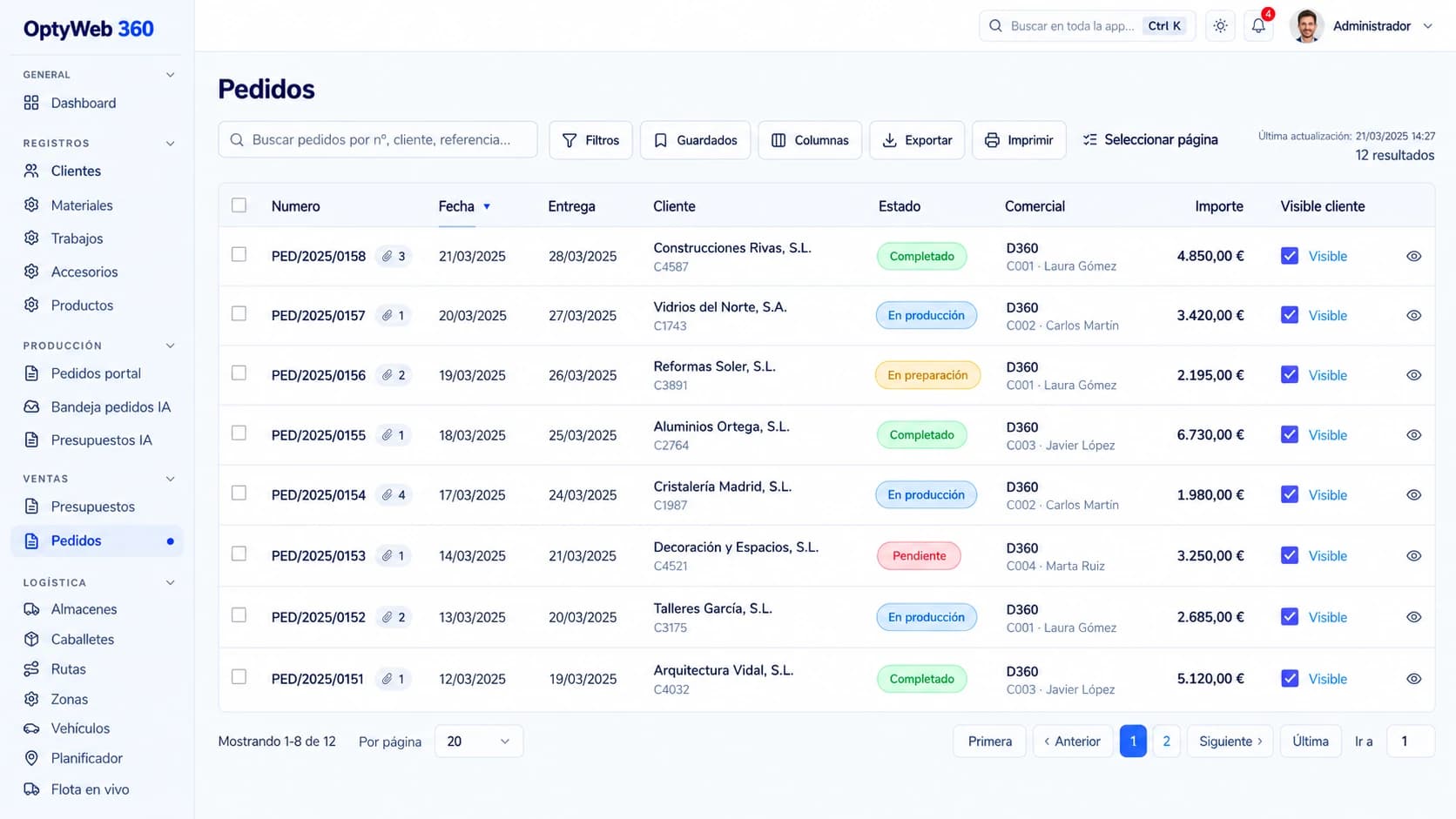
Commercial order tracking with dates, status, sales owner, amount, customer visibility and linked documentation.
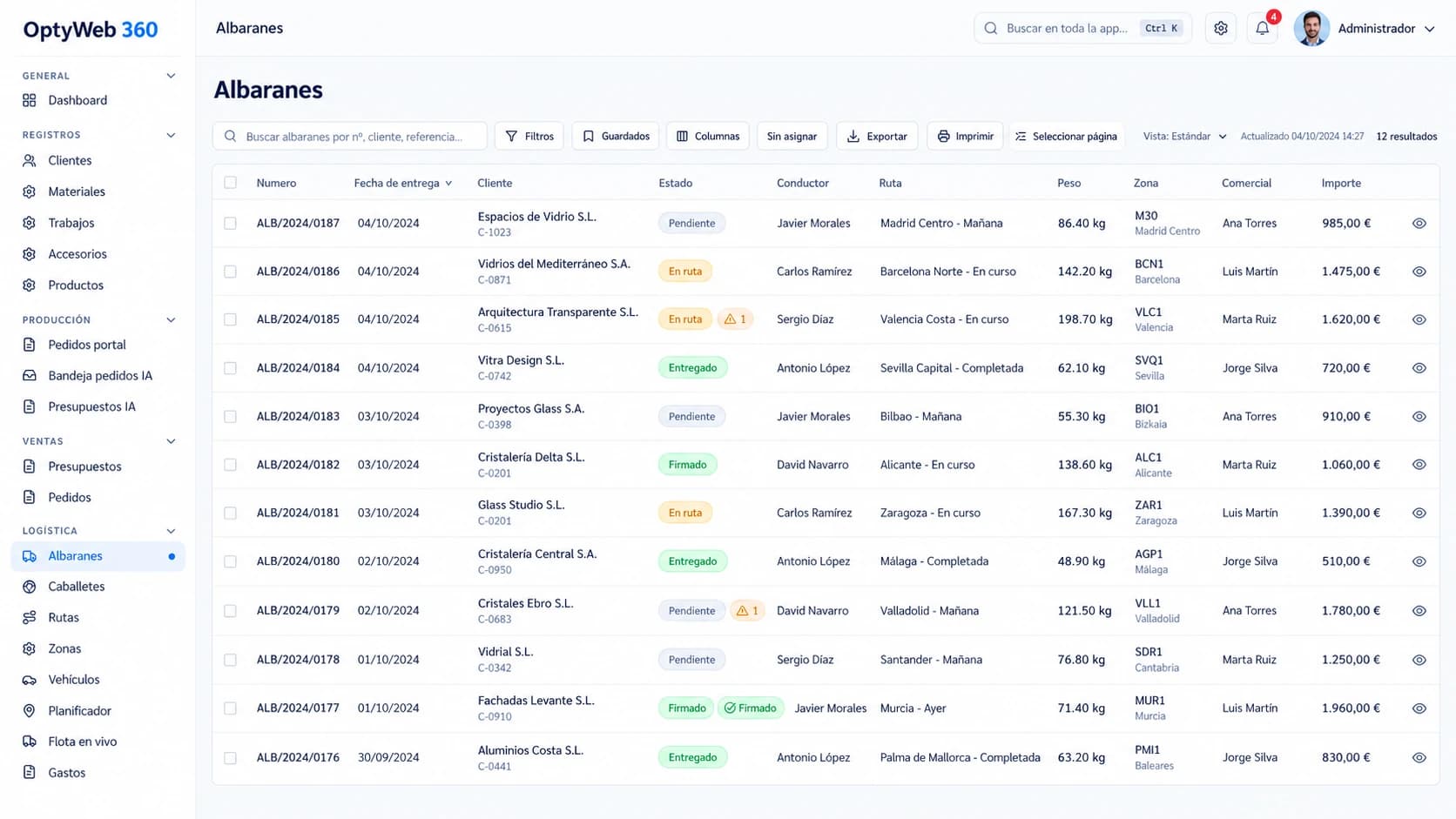
Delivery control with driver, route, weight, zone, status, signature, incidents and amount.
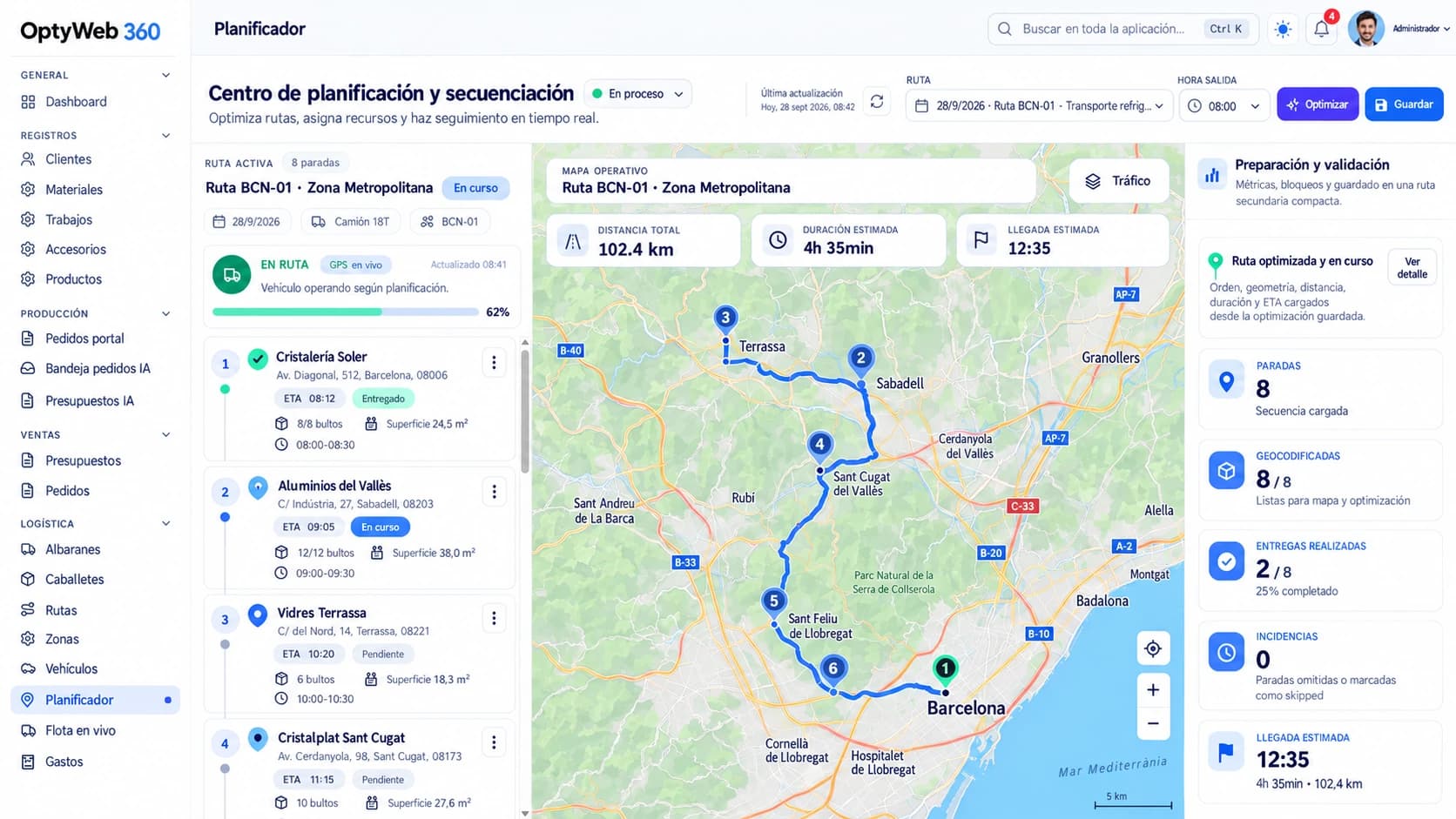
Visual stop sequencing with ETA, time windows, load, distance, duration and route optimization.
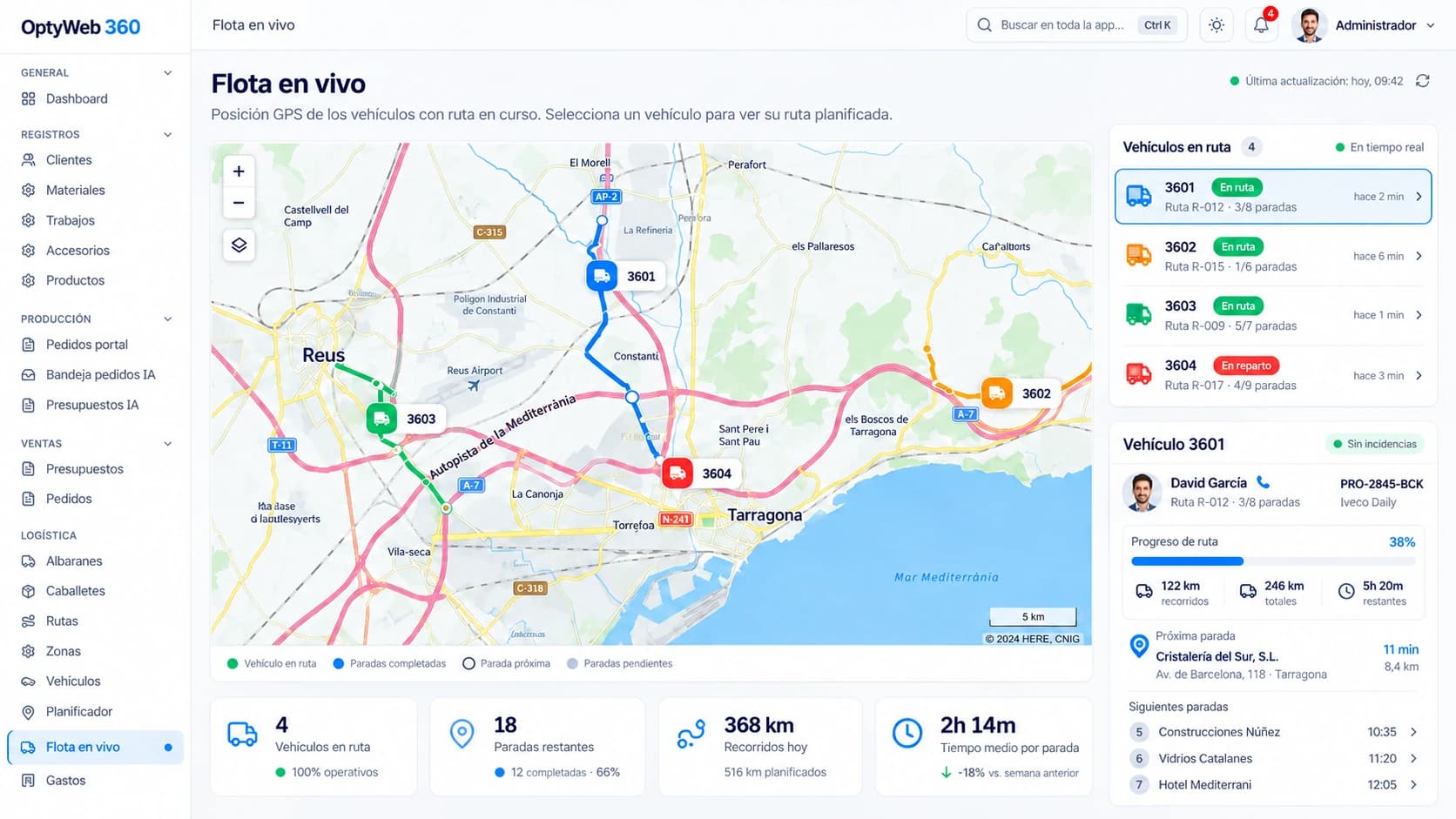
GPS tracking for multiple vehicles with progress, completed stops, next delivery and route metrics.
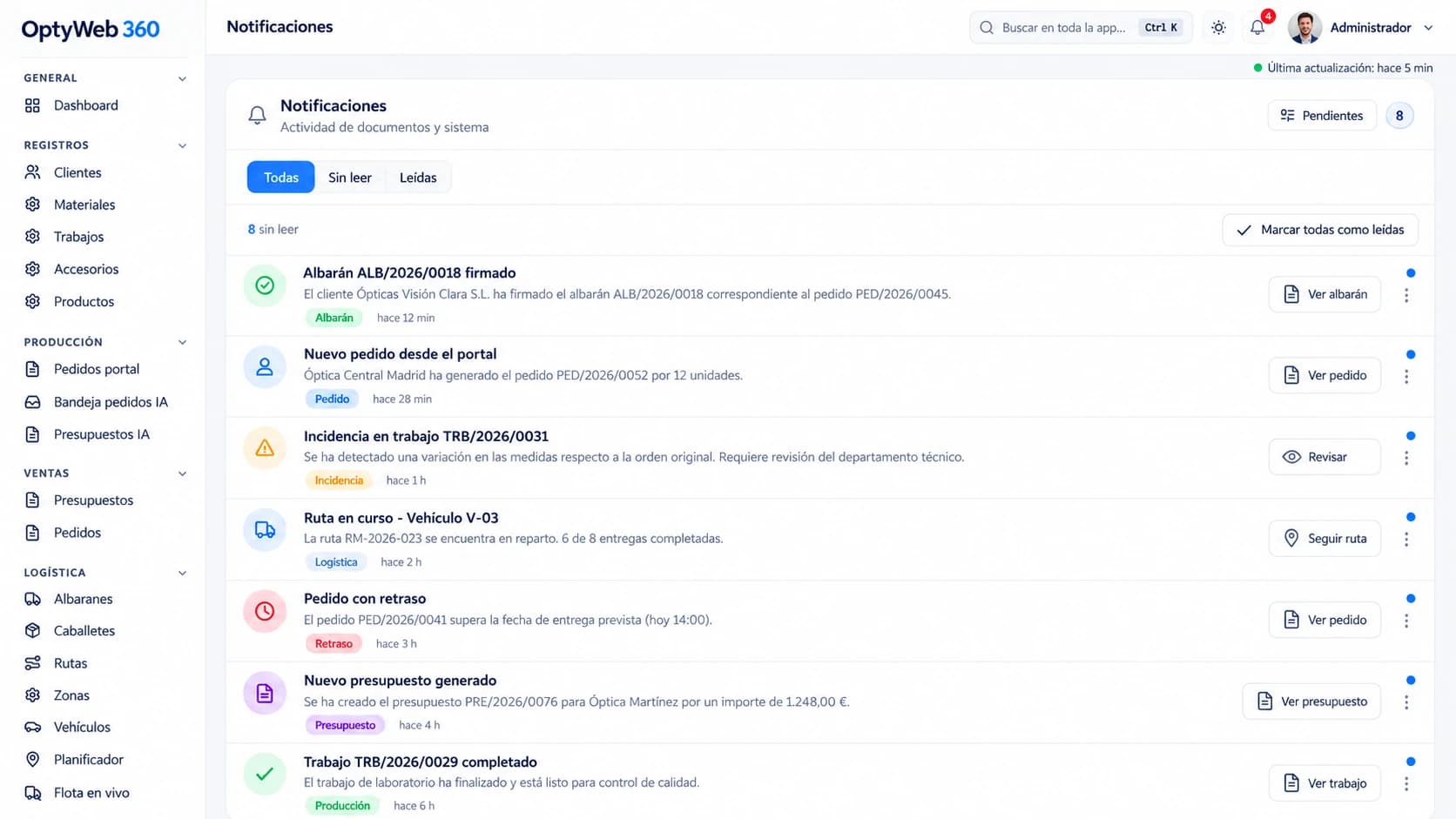
Operational activity in one center: signatures, new orders, incidents, delays, quotes and production events.
The interface adapts to the role: users do not all see the same areas or perform the same actions.
Configures the company, users, modules, catalogs, portal orders, logistics and operational rules.
Manages customers, documents, portal orders, incidents, routes, vehicles, fleet and notifications.
Views its customer portfolio and authorized documents within the configured commercial scope.
Accesses quotations, orders, delivery notes, invoices, due dates and its own portal orders.
Works with assigned orders or delivery notes, route execution and expenses, connected through DeliveryWay.
Customer access
Sign in to the web portal with the credentials provided by your company and install the delivery app on your drivers' phones.
Portal for customers, distributors and internal staff: orders, documents, routes and tracking.
optyweb.optimaiberica.es
Android app for drivers: routes, delivery signatures, photos, incidents and racks.
Optima's web evolution
The catalogue already described three needs: customer self-service, order entry connected to the ERP and dashboards available in the browser. OptyWeb extends that base with documents, logistics, fleet, mobile delivery, signatures, incidents, notifications and AI.
Order status, history, delivery notes, invoices and DoP.
Order and quote entry connected to the ERP.
Production and sales KPIs in the browser and on mobile.
OPTYWEB 360
Capabilities
OptyWeb brings the information and processes around the ERP to the web: customers, documents, portal orders, routes, fleet, deliveries, incidents and notifications. Each role works with its own view while data remains synchronized inside the same company.
OptyWeb brings the information and processes around the ERP to the web: customers, documents, portal orders, routes, fleet, deliveries, incidents and notifications. Each role works with its own view while data remains synchronized inside the same company.
When customers, office staff, sales teams and delivery operations rely on email, calls, spreadsheets and separate apps, information is duplicated and the real status of each order gets lost. OptyWeb provides a shared web layer to view, operate and share ERP-connected data.
OptyWeb